
Astro Vastu: How to Read Hit, Mixed and Supported Zones
16 November 2026
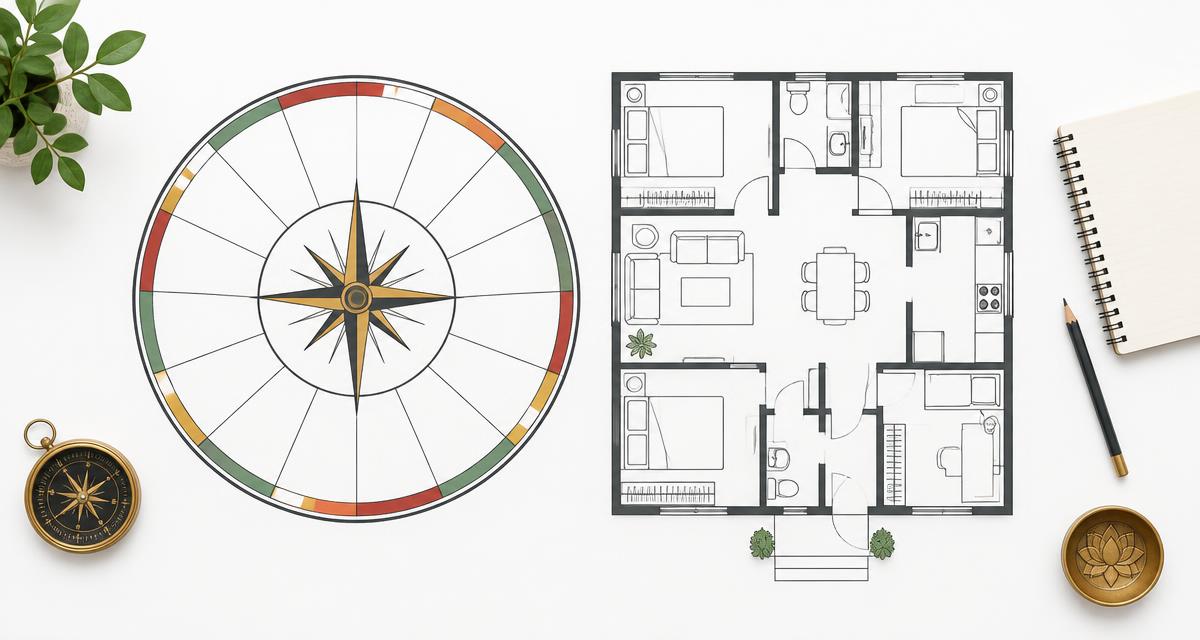
A red zone on an Astro Vastu compass is a starting point for checking the evidence, not an instruction to rebuild a room. Astrometry’s Astro Vastu Analysis Software maps a KP birth chart onto sixteen directional zones and labels them Hit, Mixed or Supported. This guide focuses on reading those labels, checking the reasons behind them and using the running dasha without mistaking a chart-based interpretation for a physical survey of a home.
Start by checking the birth and home details
Enter the recorded birth date, birth time and birth place. Confirm latitude, longitude and UTC offset rather than assuming that a place name alone settles the time conversion. The form offers KP, Lahiri or a manually entered ayanamsa. Keep that choice consistent when comparing results.
The main entrance zone and the analysis date serve different purposes. The entrance choice marks a direction on the report; the analysis date determines the dasha chain used to flag current activity. If you do not know the entrance direction, keep “Not sure” instead of selecting a direction to obtain a preferred result.
What the three zone labels mean in this software
- Supported: the combined local score meets the supported threshold. This does not mean that every linked house has identical evidence or that a favourable life event is guaranteed.
- Hit: the combined score falls into the challenged range. Read the house reasons and planetary links before deciding what the label means for the consultation.
- Mixed: the score lies between those ranges. It is a distinct result, not missing information that needs to be replaced by a more decisive prediction.
The compass summary counts the zones in each category. A count is useful for orientation, but it is not a percentage measure of a property’s safety, market value or suitability. The engine derives its labels from the supplied KP rules, linked-house scores and direction-lord evidence.
Trace a zone label through “Why this result”
Select a zone on the compass and read its linked houses. The “Why this result” entries identify the cusp sub lord and explain whether it signifies the relevant house, a negating house or other challenging connections. A direction can link to more than one house, so reading only the first reason can miss part of the result.
- Record the selected zone and its Hit, Mixed or Supported label.
- Read every linked-house reason displayed beside the compass.
- Open Cusp-wise hits to check the sign, star and sub lord, the houses signified and the verdict.
- Open Planet-wise hits to inspect the planet’s significations, cusp links, zone links and dasha role.
- Use the Planets, House cusps and Significators tables to distinguish chart data from the resulting interpretation.
For background on the house-signification approach, read our Cuspal Interlink report guide. That is supporting context, not permission to substitute another product’s verdict for the Astro Vastu rules.
Current activity is not the same as zone status
The report can show that a zone is active through the running mahadasha, bhukti or antara. This indicates a connection between the running dasha planets and the zone’s ruler or linked houses. It does not mean that the software has observed activity in the building.
When you change only the analysis date, review the running dasha and activity flags separately from the underlying birth-chart evidence. Keep the birth data, ayanamsa and entrance setting unchanged for a meaningful comparison. If the selected date is outside the calculated dasha cycle, the report says so; do not invent a replacement period.
How to read the priority remedy plan
The remedy plan brings non-supported zones together and prioritises challenged zones and dasha activity. It also marks an entrance when the selected entrance falls in that zone. Read the listed zone remedies, favourable colours, items to avoid and planetary practices as traditional suggestions from the report, not proven outcomes.
A chart-to-direction report does not inspect electrical wiring, ventilation, structural loading or emergency access. Do not move walls, block exits or undertake costly construction because of a zone label. Physical changes need appropriate professional advice and an actual review of the property.
Astro Vastu or a floor-plan tool?
This workflow asks for a birth chart and an entrance direction; it is not the same as uploading a measured floor plan. For a space-led workflow, explore DIY Vastu Software or Feng Shui Software. Our comparison of the three space-analysis tools explains how to choose a starting point without merging their different methods.
Before saving the report
- Check the name, birth details, analysis date and settings on the report.
- Keep the reasons and evidence tables with the summary labels.
- Confirm which detail tab is selected when preparing the PDF and check that the downloaded file contains the sections you intend to share.
- When comparing dates, note what changed rather than attributing every difference to the property.
- Keep traditional interpretation separate from practical observations and professional building advice.
Frequently asked questions
Does a Hit zone prove that a room has a defect?
No. It is a result of the chart-based rule system. Physical defects require observation and qualified assessment.
Can an active zone also be Supported?
Yes. Activity and status describe different things: one connects the running dasha to the zone, while the other summarises the rule-based score.
Can I work without an entrance direction?
The form includes “Not sure”. The chart can still be analysed, but no specific entrance should be assumed.
Start with the Astro Vastu software, browse all softwares or compare access options on the pricing page. Astrology and Vastu readings are traditional interpretations, not statements of fact or guarantees.
For the broader product introduction, read our Astro Vastu software guide. The illustration above is conceptual and is not a calculated chart or a survey of your home.