
Personalized Muhurat Software: Tara Bala, Chandra Bala and Better Date Shortlists
24 November 2026
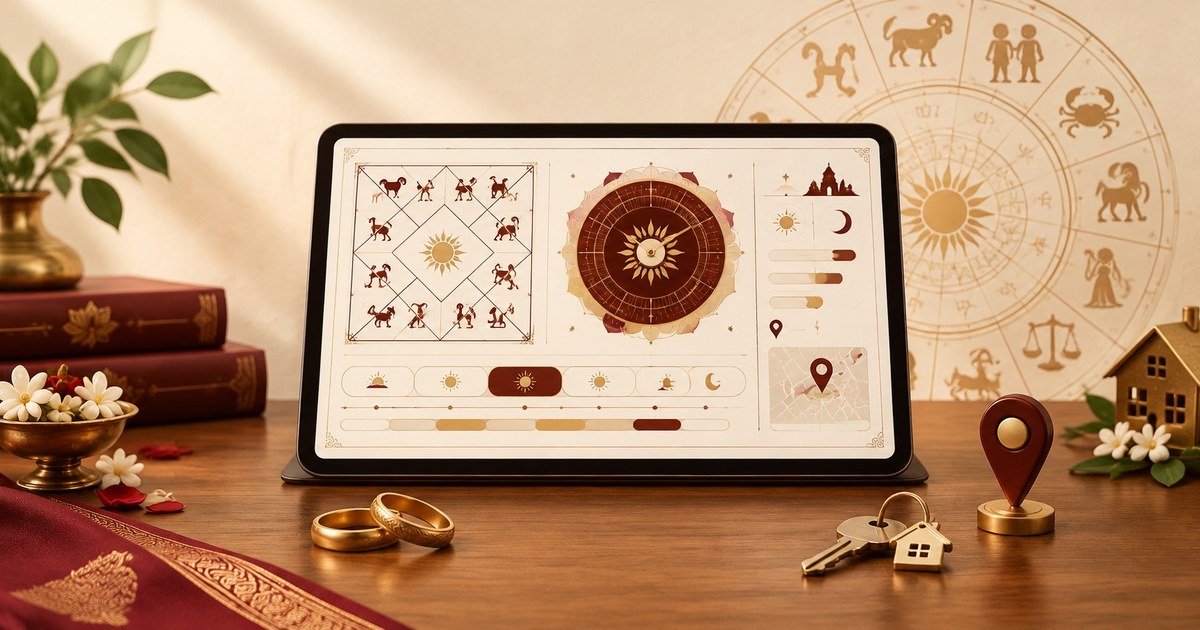
A festival calendar or daily Panchang can tell you about a day, but planning a real event involves more than finding a widely shared auspicious date. You may need a Saturday within two particular months, a two-hour window before lunch, a venue in a different city and a time that works for two families. Astrometry’s free Personalized Muhurat software brings those practical constraints into the same search as the traditional timing checks.
The result is not simply a list of dates. It is a shortlist of eligible time windows for your selected occasion, place, availability and participants. Where birth details are supplied, the report also applies Tara Bala and Chandra Bala checks. This guide explains how to prepare the search and read the result without treating its score as a promise about the future.
What makes a Muhurat personalized?
A general Muhurat evaluates the occasion and the time at the event location. A personalized search adds the birth details of one or more participants. In Astrometry, the report identifies which mode was used: general, personalized standard, personalized advanced, or couple/group. That distinction matters because a search without usable birth data should not be interpreted as a chart-specific result.
The occasion is equally important. Marriage, Griha Pravesh, a business opening, education, travel and a vehicle purchase do not use an identical rule set. Start by choosing the specific event instead of searching for a universal “good time” and applying it everywhere.
If you want a broader introduction to the available occasions and report features, see the Personalized Muhurat overview. For the five limbs of the day at a chosen location, the Today’s Panchang tool is a useful companion.
Step 1: Define the event before searching
Begin with decisions that your family, venue, officiant or business partners have already made. The software can then search inside a realistic range rather than returning beautiful windows that nobody can use.
- Occasion: select the closest exact event, such as Vivah, Griha Pravesh or a business launch.
- Date range: use the earliest and latest dates you can genuinely consider.
- Daily availability: enter the hours during which the core act can take place.
- Duration: allow enough time for the operative part of the ceremony or activity, not merely the time guests arrive.
- Travel direction: when the selected journey occasion asks for it, provide the direction rather than leaving a relevant input blank.
A wider date range or more flexible daily availability creates more candidates to evaluate. It does not guarantee a fully compliant result, but it avoids unnecessarily ruling out useful options.
Step 2: Use the event city, not automatically your home city
Panchang details and local windows depend on place and time zone. Type the event location into the city field and choose it from the suggestions. Selecting a suggestion fills the latitude, longitude and time zone. If the place is not listed, the manual-coordinate option remains available.
Use the city where the event will actually occur. A wedding held in Jaipur should not be calculated for New Delhi merely because the family lives there. For an overseas event, confirm that the selected suggestion shows the intended city and local zone before running the search.
Step 3: Add participants with honest birth-time quality
Enter each participant’s birth date, birth time and birth place. Then describe the quality of that time: exact, approximate, date only or unknown. For an approximate time, include the uncertainty in minutes. This is preferable to presenting a remembered time as exact.
For a marriage or another group event, check the group mode carefully. “All required” keeps every participant necessary to the decision; “weighted best effort” allows a collective comparison; “primary only” focuses on the primary participant. These are different ways to handle a group, so select deliberately and record the choice when sharing the report.
You can inspect the entered charts through the Birth charts tab before relying on the search. If you first need to verify basic birth-chart details, open the Kundli birth-chart tool and compare the recorded date, place and coordinates.
What Tara Bala and Chandra Bala add
Tara Bala counts the day’s nakshatra in the nine-part cycle from the participant’s birth nakshatra. The report names the resulting tara for each person and applies the selected profile. In the default strict profile, Vipat and Naidhana are treated as vetoes, while the other taras contribute differently to the evaluation.
Chandra Bala examines the Moon’s position relative to the participant’s birth Moon. Under the default Modern Common profile, the 1st, 3rd, 6th, 7th, 10th and 11th relative positions are considered good; other positions are classed as intermediate or adverse, with the 8th marked as Chandrashtama and a veto. The report shows the relative Moon position so the reason is visible rather than hidden behind a single score.
Advanced options allow different profiles and strictness settings. Do not change them only to force a preferred date through. Keep the selected profile consistent when comparing dates, and discuss a compromised option with your officiant.
Step 4: Read recommended windows in the right order
Each recommended card contains several layers of information. A practical reading order is:
- Date, start and full window: distinguish the suggested operative start from the entire eligible span.
- Score and tier: use these to compare compliance within the same search, not as a probability of success.
- Panchang details: review tithi, nakshatra, yoga, karana, lagna and Moon sign.
- Participant chips: check Tara Bala, relative Moon position, Chandrashtama and any conditional warning for each person.
- Rules and segments: expand the details to see what passed, what failed and how conditions change inside the window.
Pay attention to the stated end for the core act. A window that begins during a supportive period may not remain unchanged until its final minute. The segment table is there to make those transitions inspectable.
What to do when no fully compliant window appears
An empty strict result is useful information, not a software failure. First check whether the date range, daily hours or minimum duration is unnecessarily narrow. Then confirm the event city and participant inputs. If the search is correct, review the rejection breakdown to see which conditions excluded time.
Compromise options are displayed separately. They pass every hard rule but fail at least one strong rule in the strict profile, and the relaxed rules are named on the card. Do not mistake these for fully compliant recommendations. If a proposed date is non-negotiable, use Evaluate an exact instant to inspect its complete rule trace.
For a wedding already under discussion, you can also compare the dedicated Marriage Muhurat tool. For annual planning beyond a single event, our guide to Lal Kitab Varshphal annual charts explains a different, birthday-to-birthday method.
Share the report with its context intact
Once the results are ready, choose Download PDF. The export includes the eligible windows and expands the supporting details, making it easier to discuss the shortlist with family or an officiant. Keep the occasion, city, date range, availability, participant settings and compromise labels together; a screenshot of one score without that context can be misleading.
Astrometry’s Muhurat score measures compliance with the selected traditional rule profile. It is not a guarantee of success, and practical safety, legal requirements, health advice, travel conditions and everyone’s availability still come first. Confirm the final ceremony timing with the person conducting it.
Ready to build your shortlist? Open the Personalized Muhurat software, enter your real constraints and compare the recommended windows with their reasons visible.